Your customers always know where their order is.
A tracking page for your store that shows the order's status, every parcel with what is inside, the carrier and the full tracking history. Customers open it straight from the shipping email.
- On your own store
- Every parcel on one page
- 12 languages
- No personal details shown
One page that answers “where is my order?”
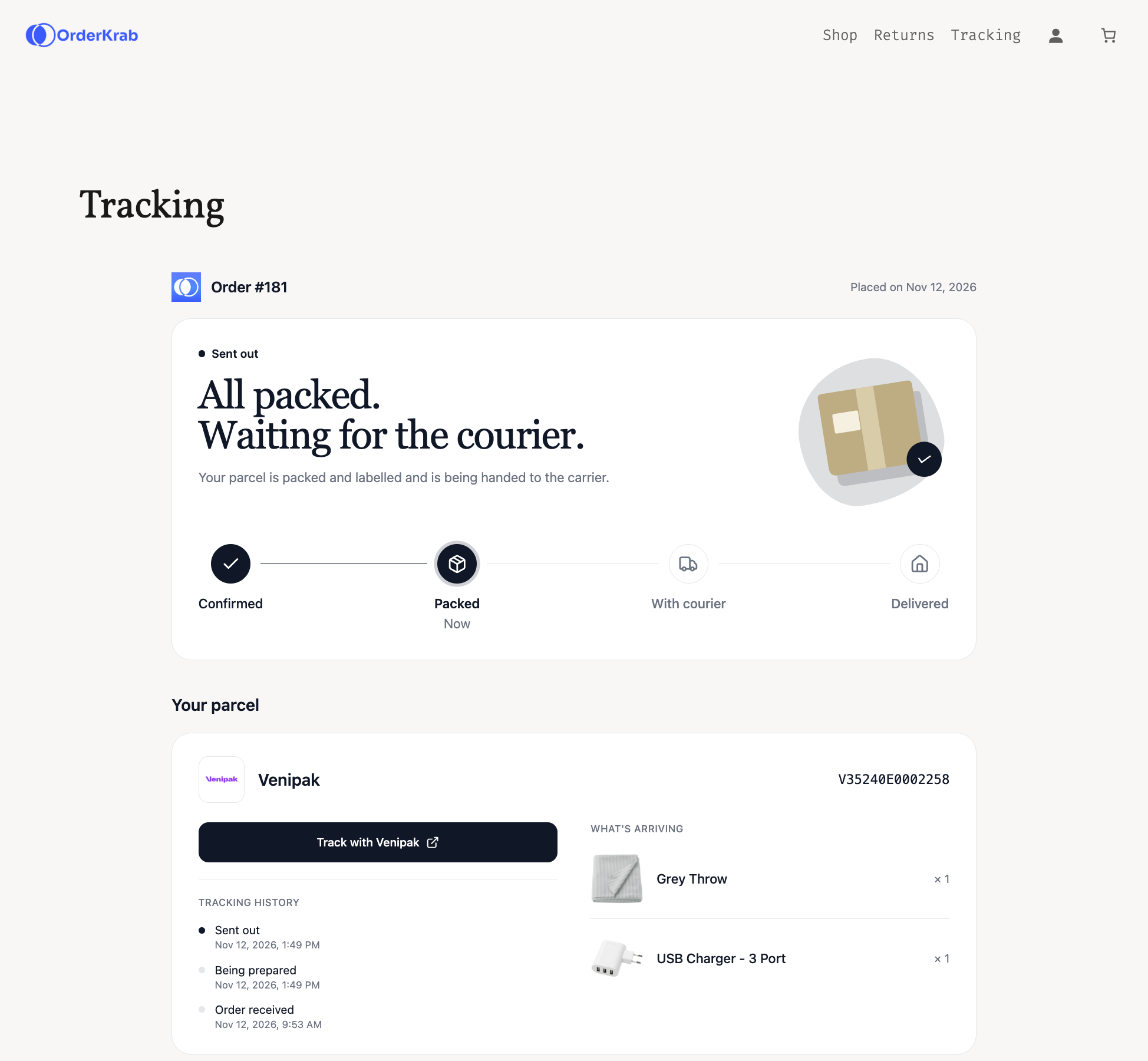
A carrier link shows one parcel on a page that looks like the carrier. The tracking page shows the whole order on a page that looks like your store, from the moment the order is confirmed until it is delivered.
Status at a glance
The page opens with one clear status and a progress bar: confirmed, packed, with the courier, delivered. Customs, pick-up points and delivery problems each get a status of their own.
Every parcel, with what is inside
An order shipped in several parcels lists each one with its items, carrier, tracking number, tracking history and a link to the carrier's own page.
Two ways to open it
The link in your shipping email opens the order directly, with nothing to type. On your store, customers can also find an order by its number and the email they used at checkout.
Nothing personal on the page
The page never shows a name, an address, a phone number or prices. A store pick-up order shows your store's address instead of a tracking number.
Put it on your store in three steps.
Copy a token in OrderKrab, add the page on your store, then tell OrderKrab where the page is. There is no code to write on any platform.
Before you start
- A tracking page on your own store comes with PRO and FREE. On LABELS there is nothing to install: customers use the OrderKrab-hosted tracking page.
- Shopify: your theme has to support app blocks. Every Online Store 2.0 theme does.
- WooCommerce: OrderKrab plugin 1.9.0 or newer.
- PrestaShop: OrderKrab module 1.0.9 or newer.
- Only owners and admins can change the tracking page settings in OrderKrab.
Copy your store's portal token
- 1Open Order tracking in the OrderKrab sidebar. The first card lists your connected stores.
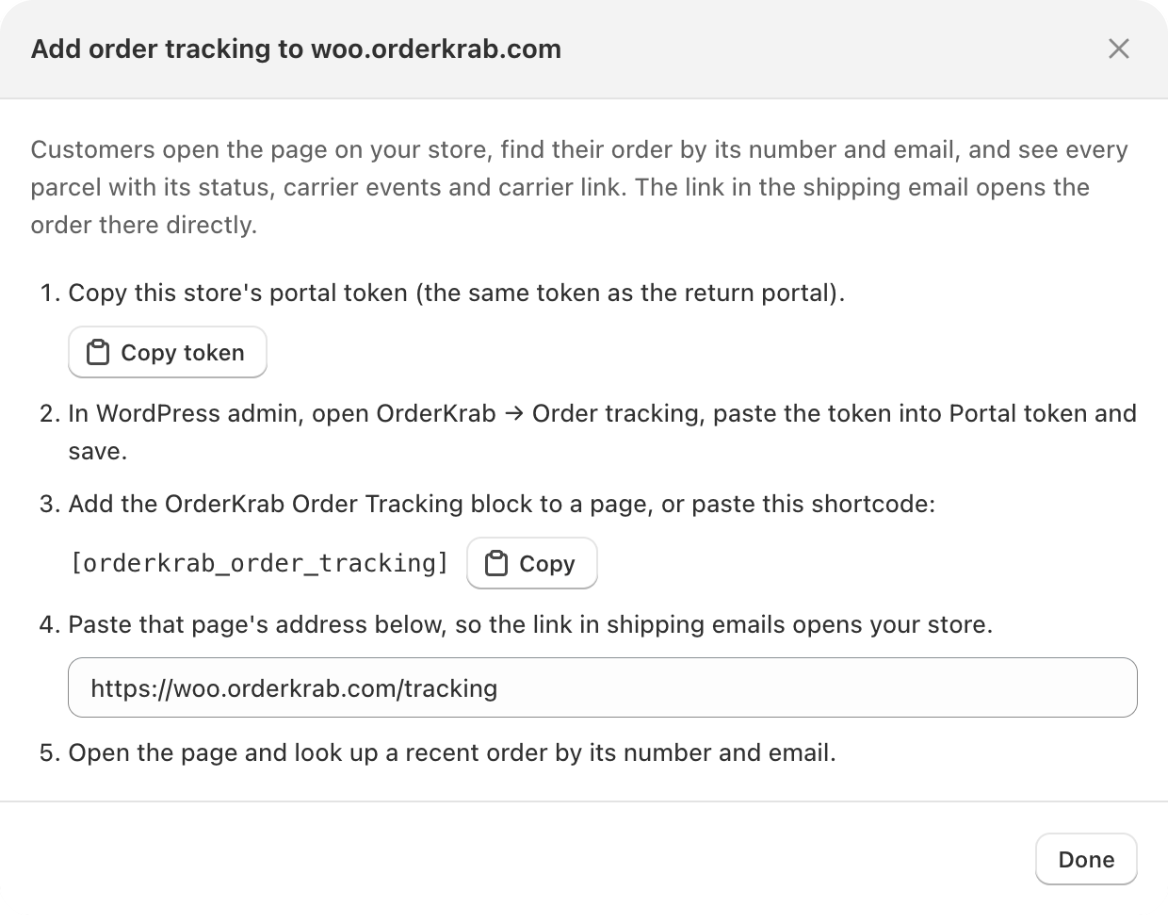
- 2On your store's row, click Add tracking block.
- 3In the window that opens, click Copy token. It is the same kind of token the returns portal uses, and the window lists the steps for your platform.
Add the tracking page
Pick your platform. Each one takes a few minutes.
Shopify: add the Order tracking app block
- 1In Shopify admin, go to Online Store → Pages and create a page, for example Track your order.
- 2Go to Online Store → Themes → Customize and open that page from the dropdown at the top of the editor.
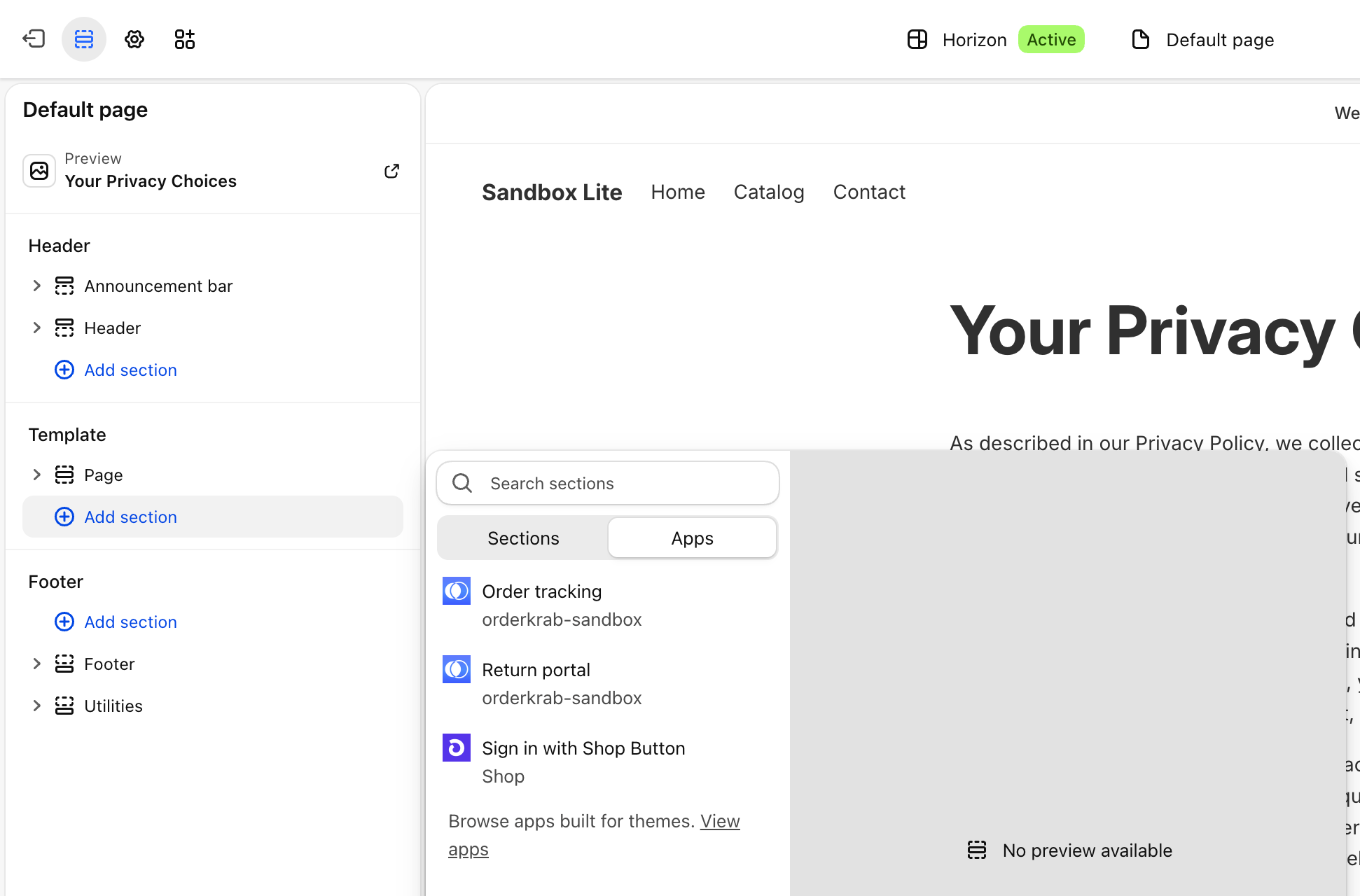
- 3Click Add section, switch to the Apps tab and choose Order tracking.
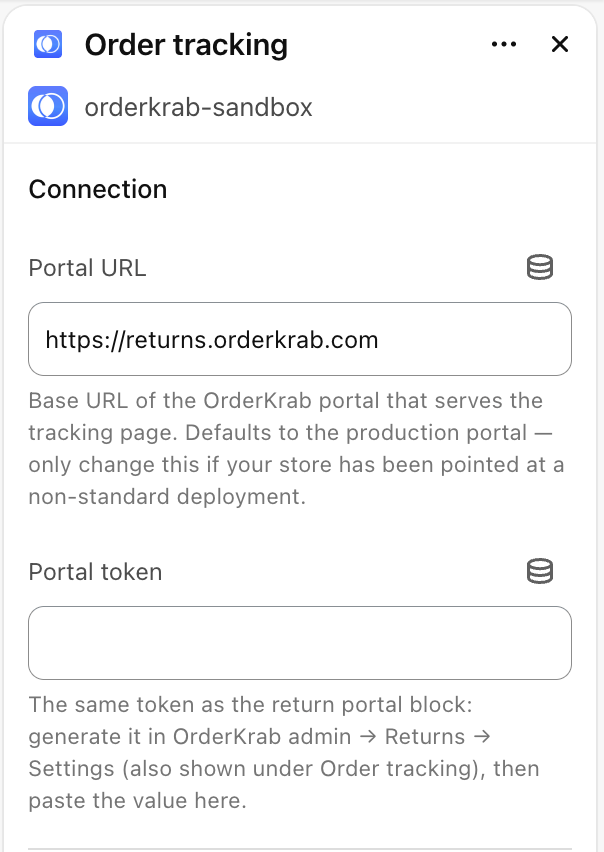
- 4Paste the token into Portal token and leave Portal URL as it is. The width, height, language and colors below it are optional.
- 5Click Save, then add the page to your store's menu under Content → Menus.
The block comes with the OrderKrab app you already have, next to the Return portal block, so there is nothing new to install.
WooCommerce: add the block or the shortcode
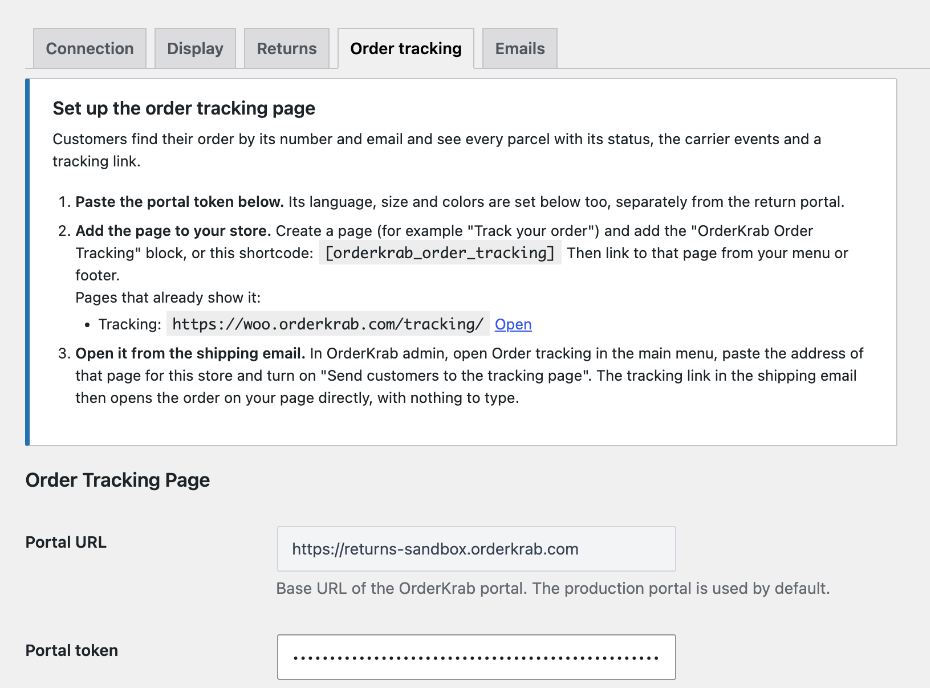
- 1In WordPress admin, open OrderKrab → Order tracking.
- 2Paste the token into Portal token and click Save changes. The page's language, size and colors are set on the same tab.
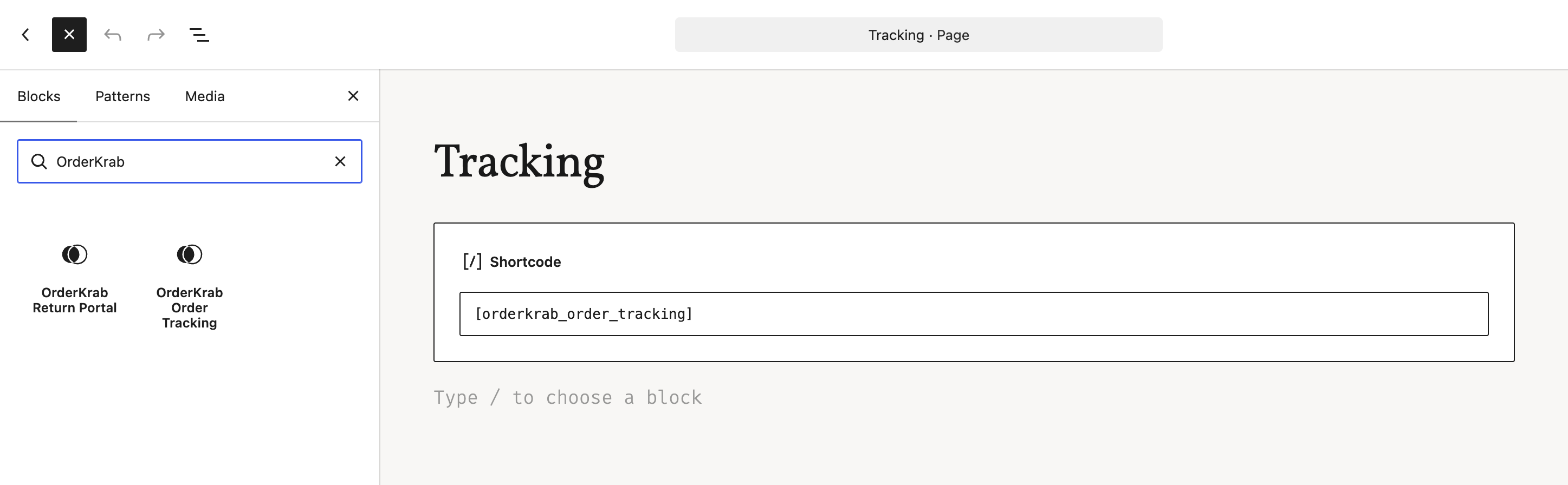
- 3Go to Pages → Add New, name the page, for example Track your order, and add the OrderKrab Order Tracking block. The shortcode
[orderkrab_order_tracking]does the same. - 4Publish the page and link it from your menu or footer.
The block, the shortcode and the Order tracking tab arrived in plugin 1.9.0. If you do not see them, update the plugin under Plugins first.
PrestaShop: switch on the module's tracking page
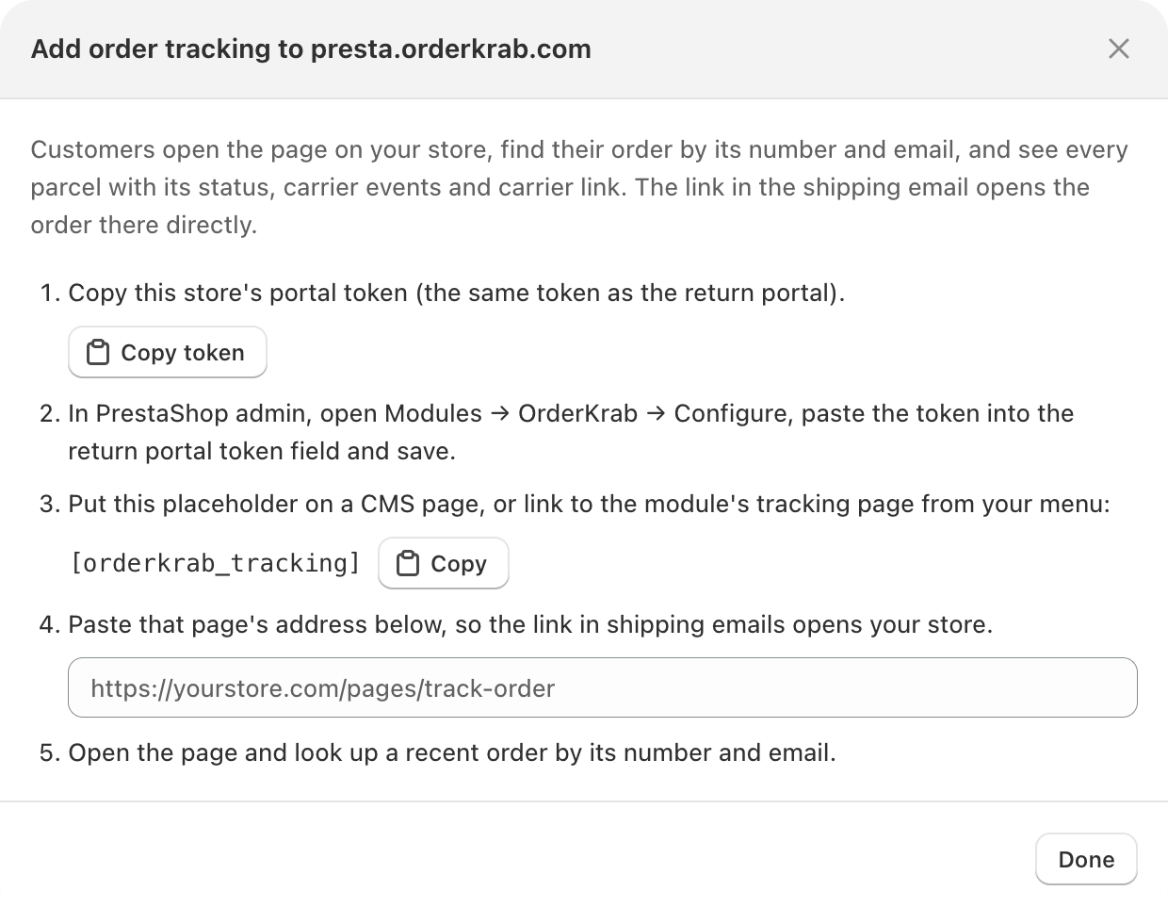
- 1In PrestaShop admin, open Modules → OrderKrab → Configure.
- 2In the Order tracking page section, paste the token into Portal token and save.
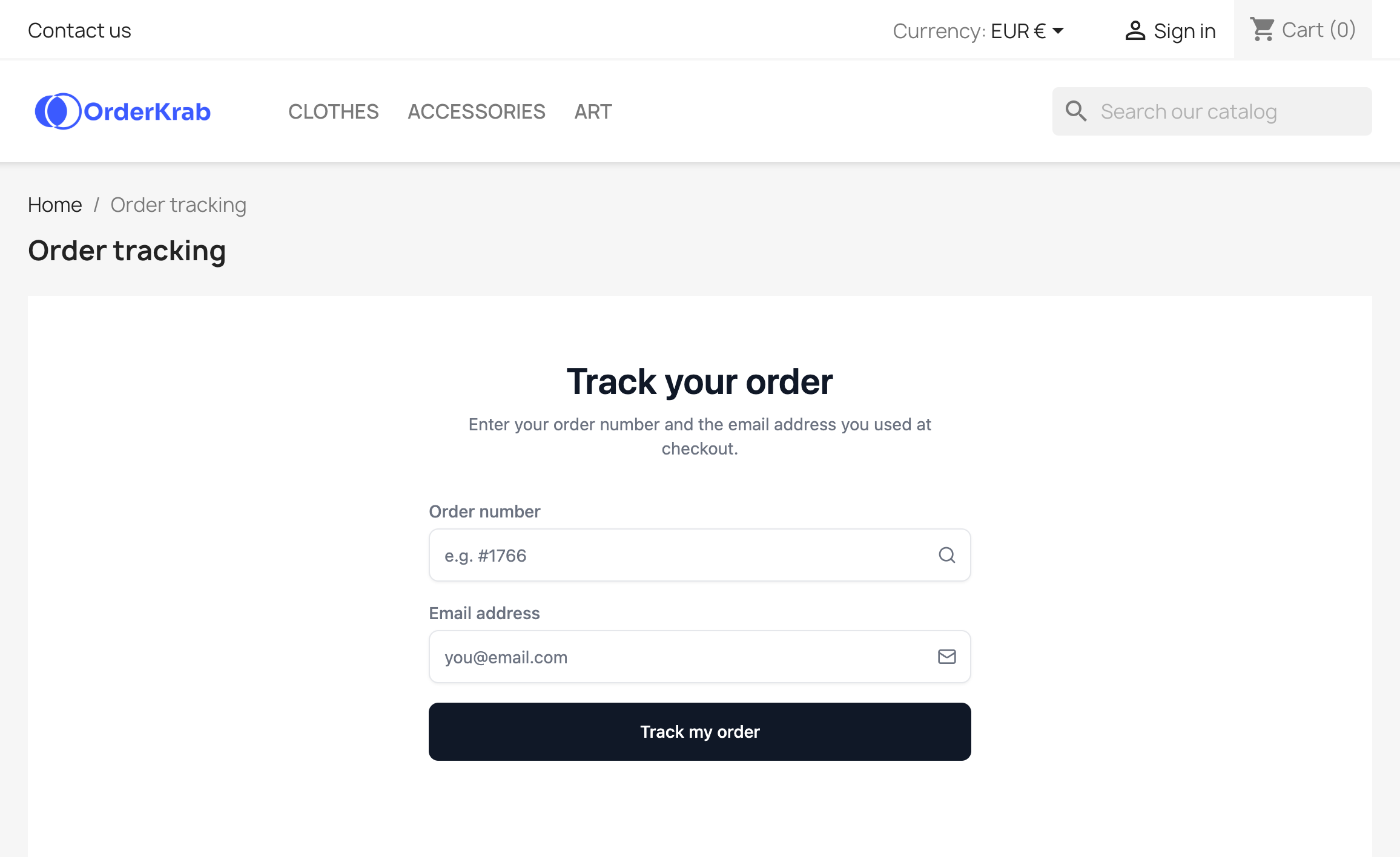
- 3The page is live straight away: the module shows its address with an Open the page link. Link to it from your menu or footer.
- 4Want it inside a page of your own? Write
[orderkrab_tracking]in the content of a CMS page.
The tracking page arrived in module 1.0.9. Design → Positions places the returns portal, not the tracking page.
Save the page address and test it
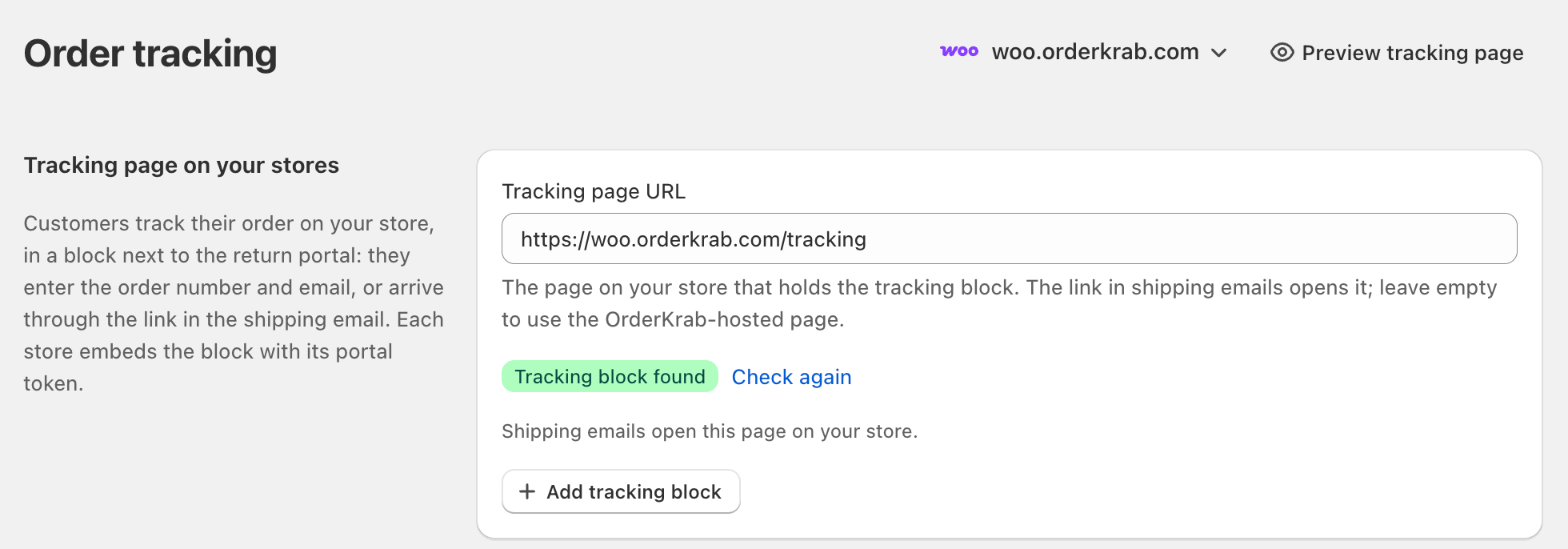
- 1Paste the page's address into Tracking page URL on the store's row and click outside the field.
- 2OrderKrab opens the page and checks it. Tracking block found means it is ready.
- 3Click Preview tracking page to see the store's latest fulfilled order the way a customer will.
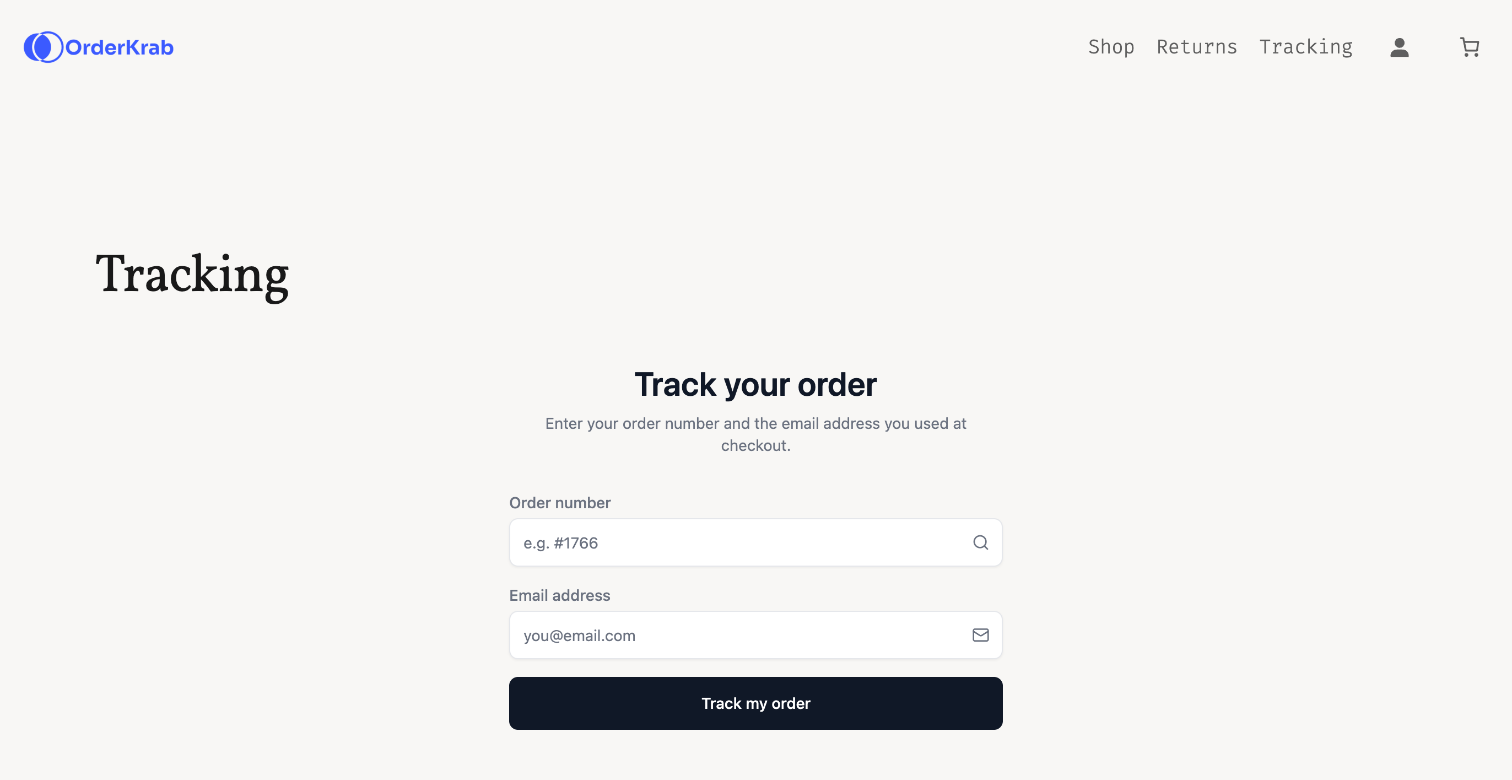
- 4Open the page on your store and look up a recent order by its number and email.
What the check can say
- Tracking block found
- The page is ready.
- Block has no token
- Paste the store's token into the block settings.
- Block not found
- The address is not the page that holds the block.
- Couldn't check the page
- The store may be password-protected. Open the page yourself.
The link in the shipping email opens the order.
When an order is fulfilled, your store emails the customer a tracking link. Switch on one setting and that link opens the order on the tracking page, already found, instead of the carrier's page.

Switch it on
- 1Open Order tracking in OrderKrab.
- 2In the Tracking links in emails card, switch on Send customers to the tracking page.
- 3Fulfill orders as usual. Every order fulfilled from now on carries the new link.
Where customers find the link
Shopify. The tracking link in Shopify's shipping confirmation email.
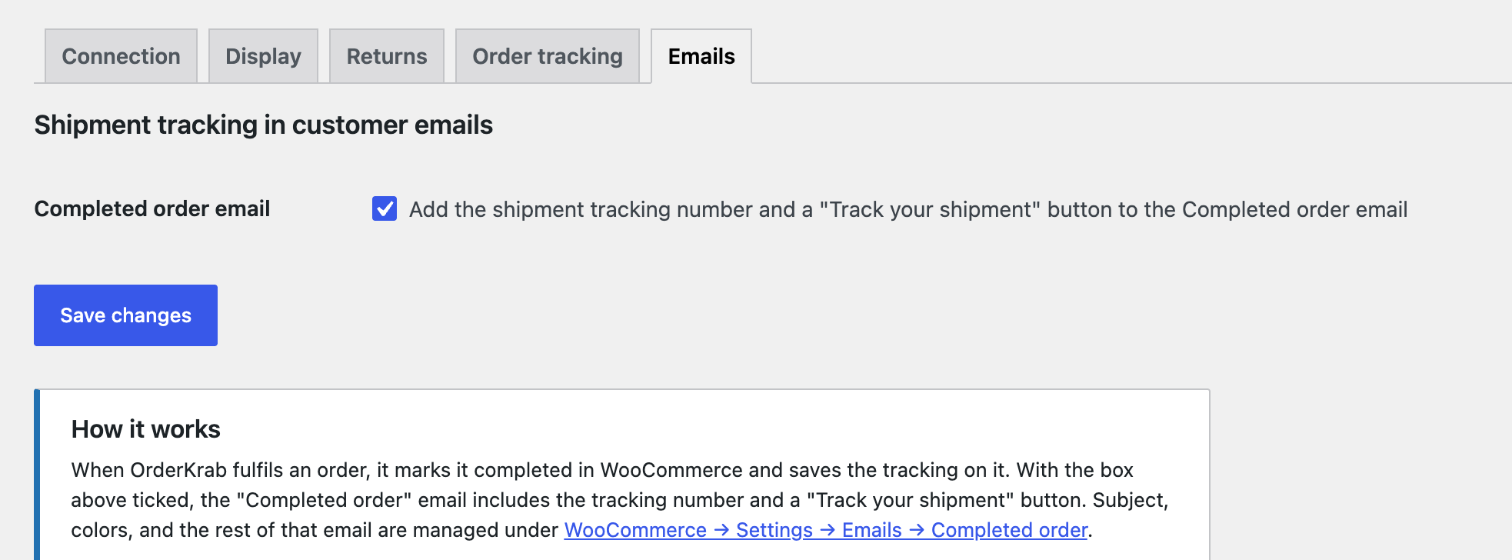
WooCommerce. The Track your shipment button in WooCommerce's Completed order email. Tick the box on the plugin's Emails tab to add it.
PrestaShop. The tracking link in the email of the order state you chose for shipped orders.
Good to know
- The setting is off by default. It applies to every store of your organization and to orders fulfilled after you switch it on.
- An order shipped in several parcels gets one link to the whole order.
- A store with a tracking page address opens that page. A store without one, and every store on LABELS, opens the OrderKrab-hosted page at track.orderkrab.com.
- The link points to OrderKrab, which forwards the customer to the right page. Links already sent keep working when you add or change a store's page later.
- Switched off, the link opens the carrier's own tracking page, as before.
LABELS or PRO: what changes.
Every plan has the tracking page and the link in the shipping email. The plan decides where the page lives and whose name is on it.
FREE includes everything in PRO for up to 50 orders a month, the tracking page on your own store included. See plans and pricing
On PRO, the page is yours.
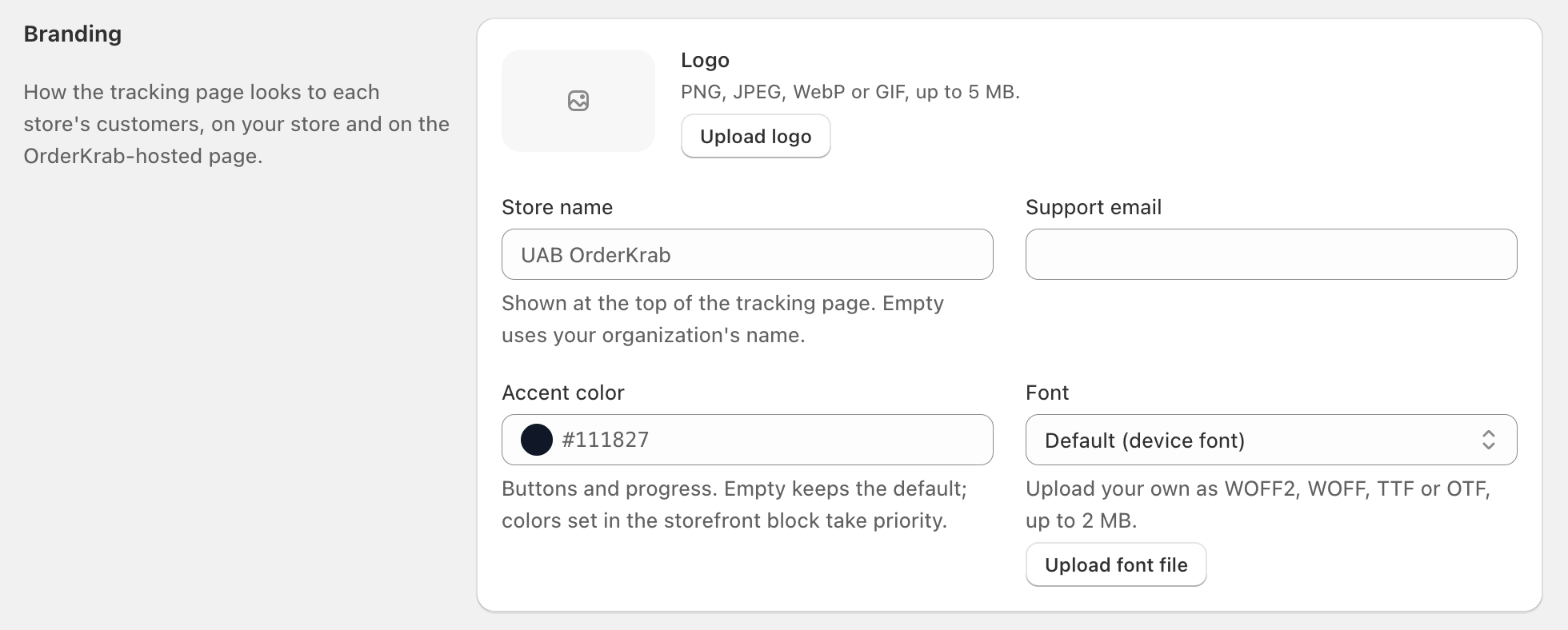
Each store sets its own logo, store name, accent color, support email and font: 14 fonts to pick from, or a font file of your own. The branding applies on your store and on the hosted page alike.