


Parcel lockers, couriers and live rates, shown your way at checkout.
Your customer sees the nearest lockers first, couriers at the price you set, and live rates from the express carriers. The order arrives in OrderKrab with the carrier already chosen.
 See it on WooCommerce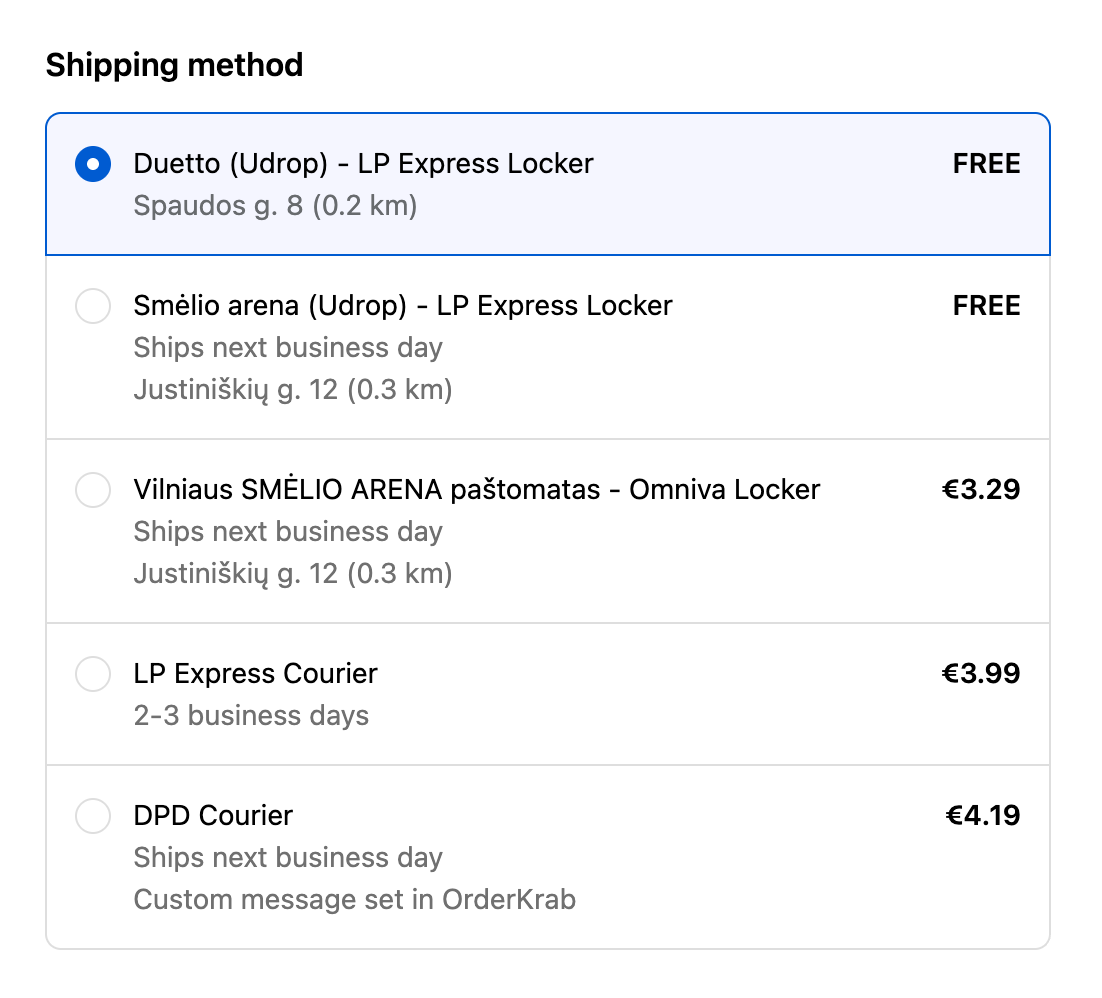
What your customer sees
Delivery options that make sense to the shopper
Parcel lockers, nearest first
Lockers from DPD, GLS, InPost, Latvijas Pasts, LP Express, Omniva, Poczta Polska, Smartposti, Unisend and Venipak, numbered by distance. You choose how many to show, from 1 to 10. If the shopper picks cash on delivery, lockers that cannot take it disappear.
Couriers at your price
Set the customer price per method and per country, add a free-shipping threshold, or price by parcel weight with weight bands.
Live carrier rates
For DHL Express, FedEx, UPS, Nova Post and Zipas Go, OrderKrab calls the carrier's rate API at checkout and shows what the carrier quotes.
Pickup in your store
Store Pick Up is a built-in provider with no carrier contract. Add your locations and shoppers can choose to collect in person.
What you control
Every option is a setting in OrderKrab, not code in your theme
Per country
Enable each method per destination country and set its customer price and free-shipping threshold.
By parcel weight
Weight bands price a method by weight, for example up to 1 kg, up to 5 kg, and above.
Hidden but available
Hide a method from checkout and keep it for manual assignment in the admin.
Locker list
Choose how many pickup points appear and whether they are numbered by distance.
On Shopify
Write your own description under the Courier method at checkout.
On WooCommerce
Set a display priority per carrier and make a method free when a free-shipping coupon is applied.
Choose your platform
The same features, shown differently on each store platform.
On Shopify
Shopify
On Shopify you can show shipping exactly the way you want: parcel lockers sorted by distance, courier options, or one fixed option such as Standard or Express, with the real shipping method chosen later in OrderKrab.
Options sorted by distance
- Parcel lockers sorted by distance
- Courier delivery options
- Numbered pickup points, so they appear in order of distance
- Choose how many pickup points to show at checkout
- Hide lockers that cannot take cash on delivery
Your own shipping methods
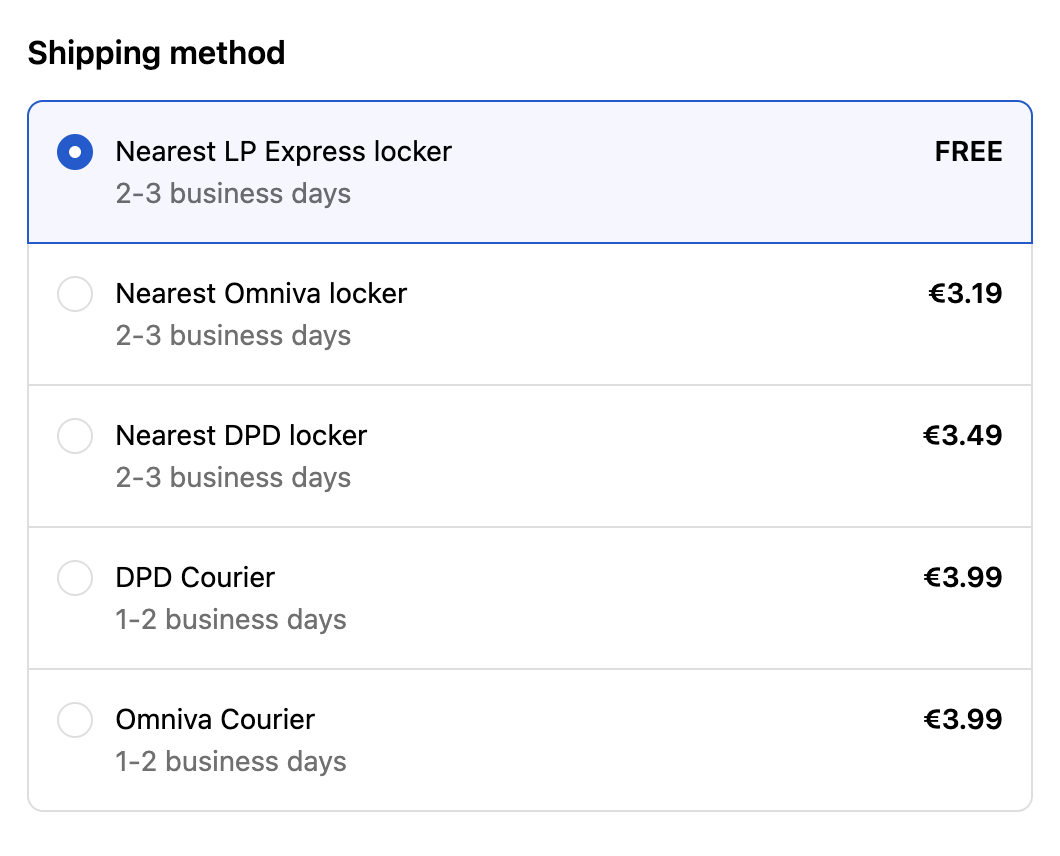
Use your own shipping methods to show parcel lockers, couriers, and other options at checkout. This works on the Shopify Basic plan, so you do not need Shopify Advanced or higher. With shipping rules, the shipping method is chosen automatically from the shipping code.
Show one fixed option at checkout, such as Nearest parcel locker, Standard, or Express, and choose the real shipping method later in OrderKrab.
For the Shopify Basic planLocker choice on the thank-you page
Let customers choose or change their parcel locker after they pay, on the thank-you or order status page, so the locker is always correct.
Add a thank-you page rule in your Shopify checkout. This is what makes the locker choice work after the purchase.
For the Shopify Basic planOn WooCommerce
WooCommerce
WooCommerce gives you two ways to show shipping at checkout: the standard block with parcel locker search, or Shopify-style options sorted by distance.
The standard block
The standard WooCommerce shipping block with a parcel locker search that updates as the customer types their city.
- Smart locker search that still finds the right locker when the customer makes a typo
- Easy to set up, because it uses the standard WooCommerce elements
- Choose which carriers appear at the top of the list
- Choose how many pickup points to show at checkout
- Hide lockers that cannot take cash on delivery
- Many styling options inside the plugin

Options sorted by distance
A Shopify-style layout with parcel lockers sorted by distance and courier options.
- Parcel lockers sorted by distance
- Courier delivery options
- Choose how many pickup points to show at checkout
- Hide lockers that cannot take cash on delivery
- Styling options inside the plugin
Choose the shipping method later
Show one fixed option at checkout, such as Standard or Express, and choose the real shipping method later in OrderKrab.
Use this together with shipping rules, so the fixed option becomes the right carrier for each country automatically.
At checkout
"Nearest Omniva locker"
Matched by a shipping rule
Omniva · Locker, closest locker auto-selected

After the click
The order arrives ready to ship
- 01
Method and locker on the order
The shipping method, the chosen locker and the address arrive with the order. Nothing is typed twice.
Order management - 02
Label on your contract
One click, or a shipping rule, creates the label with your own carrier rates and a tracking code.
Shipping & labels - 03
Packed and tracked
Pick & Pack scans every item and prints the label. Mark the order fulfilled and the store emails the tracking code.
Pick & Pack
Checkout, answered
Run a 3PL warehouse? Offer these checkout controls to your clients as part of your service.Checkout for 3PLs