


Pick ordered items before packing using our mobile app
Your team opens the list on a phone or tablet and taps each item as they pick it. Several people can pick at once, and no order is picked twice.
Get the app


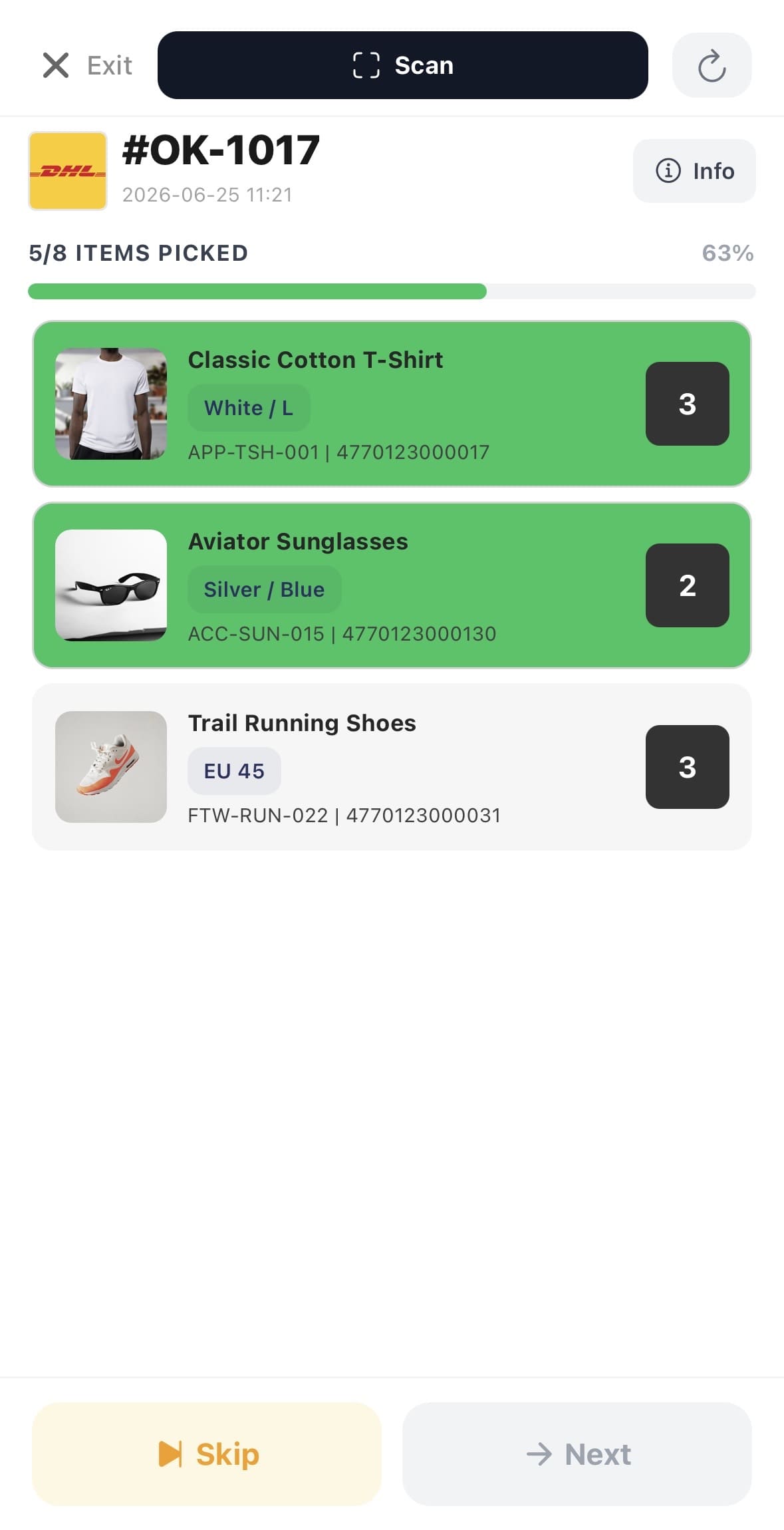
One order at a time. Several people at once.
Take the next order, confirm each item, and press Next. Each order goes to one person, so two people never pick the same one.
Tap to confirm
Tap each item as you pick it. The counter goes down.
Confirm by scanning
Scan the barcode with the phone camera.
Progress bar
Shows how many items are confirmed. Press Next after the last one.
One person per order
The order is locked, so nothing is picked twice.
Skip an order
Stuck? Skip it and it goes back into the queue.
Finish picking
Stop at any time. Picked orders go on to packing.
Walk through the warehouse once and collect everything
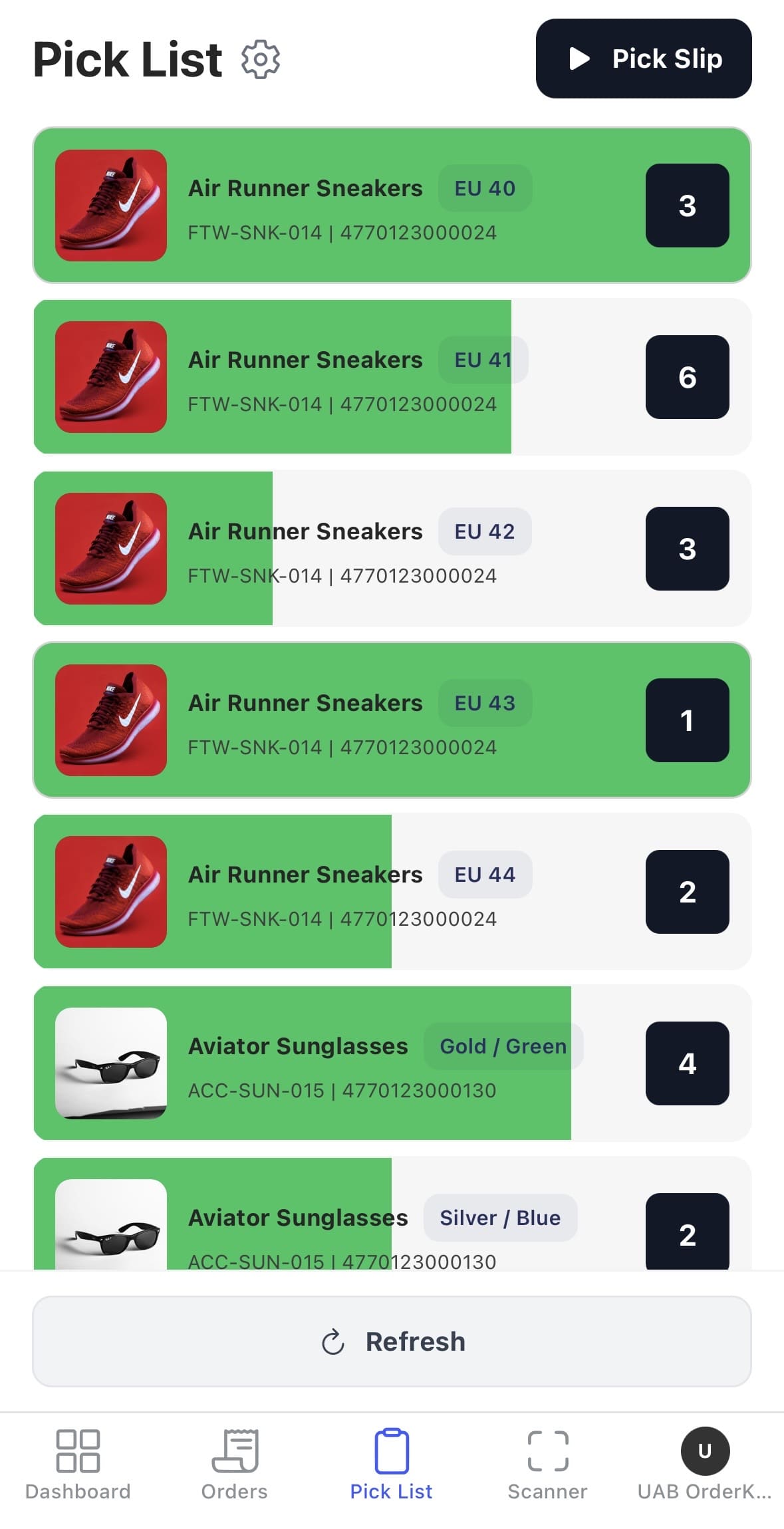
The Pick List shows every item from all waiting orders in one list. Walk through once with your phone, tap each item as it goes in the trolley, then take everything to the packing station.
Grouped by product
The same product from several orders shows as one row with the total quantity.
Tap to count down
Tap the row once for each item you pick. When the counter reaches zero, the row turns green and locks.
Refresh and reset
Pull down to load new orders. Reset clears your confirmations if you need to start again.
Made for phones
Large buttons within reach of your thumb. Works on any phone or tablet.
Use the phones your team already has
Install the OrderKrab app on iOS or Android, or open the Pick List in any browser. The app scans barcodes with the phone camera. You do not need special scanners or device management software. A new person can start picking in five minutes.
- Any phone or tablet
- Train staff in minutes
We trained new packers in under an hour. They picked with the same phones they already used on their break.
Knock, e-commerce operations
For any team size
The same flow with one picker or thirty
Add a person with a phone, and they start taking orders from the queue.
- 5–50 orders / day
One person, one phone
Walk the shelves with the Pick List, then pack at the packing station. No queue and no paper.
- 50–500 orders / day
Two people together
Both work from the same Pick Slips queue, and nothing is picked twice.
- 500+ orders / day
A warehouse with many pickers
Each picker takes the next order from the queue. If someone stops, their order goes back for someone else.