


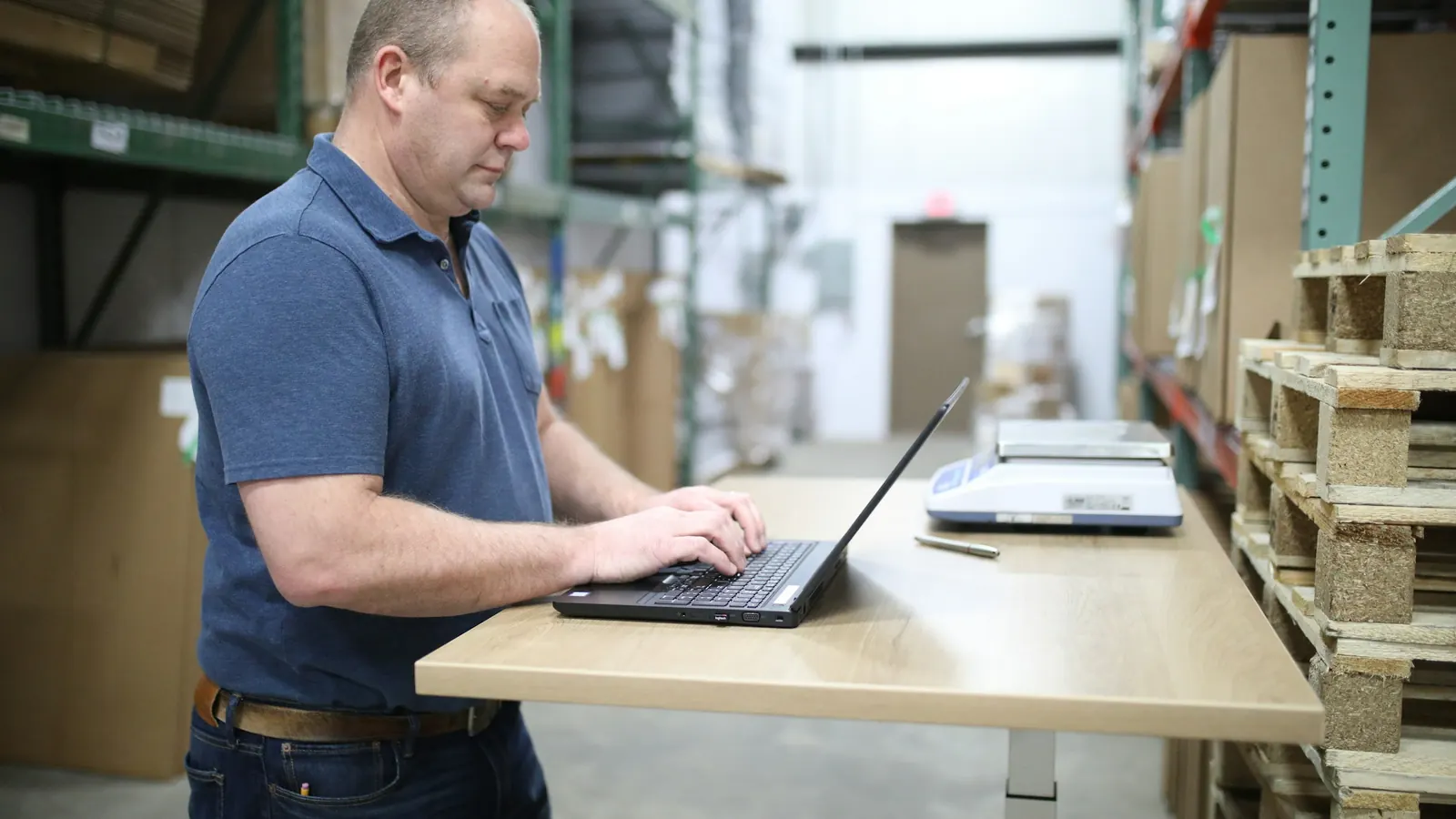
A pick and pack app has one job that matters: stop the wrong item leaving the building. Most do it the same way - the packer scans each unit, and the order will not close until the scans match. They differ in everything around the scan: who makes the label, how it reaches the printer, whether the pick list knows the shelf, and what the bill counts.
What a pick and pack app does, and what it doesn't
A packing bench has three jobs. Picking: a list of what to collect, ideally grouped so one walk serves several orders. Verifying: scanning each unit against the order, with an alarm when a barcode does not belong. Dispatching: a carrier label printed as the box closes, and the order marked fulfilled.
Most pick and pack apps do the first two and hand the third to something else. iPacky says so plainly: “In order to print shipping labels, you need to connect to one of our shipping connectors.” Printing goes through a further service: “iPacky connects to PrintNode to offer Just-In-Time printing.” S1 Sensible for a shop whose shipping already works; it also makes the app one of three products to set up, pay for and support.
The other kind starts from the label. Shipping platforms such as Sendcloud added a packing mode on top of their carriers; fulfilment platforms such as OrderKrab were built around the packing screen. Fewer moving parts, usually less depth on the warehouse floor.
How we judged them
Each tool was read against the same questions, using only what its vendor publishes:
- Checking. Is each unit scanned against the order, and does a wrong scan stop it?
- Picking. Is there a pick list, and can one walk serve several orders?
- Devices. Can the team scan with phone cameras, or does it need scanners?
- Labels and printing. Does the tool create the carrier label, and how does it reach the printer?
- Returns. Built in, or elsewhere?
- Price. What is counted - orders checked or placed, users, stations - and what the free tier counts.
- Platforms. Shopify only, or other store platforms too.
The list is split into apps that verify the pack and platforms with packing built in, alphabetical inside each group. There is no ranking; the right tool depends mostly on what you already run.
Two near-misses. ShipStation's Scan to Verify “allows you to scan SKU or UPC barcodes as you pack your shipments” S2, but its site offers country versions for the US, the UK, Australia and Canada only S3 - a UK option, not an EU one. Pick-list-only apps are left out because they do not check what was packed.
The shortlist at a glance
| Tool | Store platforms | Scans each item | Batch picking | Phone camera scanning | Creates carrier labels | Returns |
|---|---|---|---|---|---|---|
| EasyScan (506) | Shopify S4 | Yes S4 | Yes S4 | Yes, in the Shopify mobile app S4 | Buys Shopify Shipping labels S4 | Not stated |
| GroovePacker | Shopify, BigCommerce, Amazon, eBay, Shopline and more S5 | Yes S5 | Pro plan S6 | Not stated | Not stated; keeps your existing label tool S7 | Not stated |
| iPacky | Shopify S8 | Yes S8 | Yes S9 | No - “does not support this” S10 | Via a connected shipping platform S1 | Not stated |
| Pickscan | Shopify S11 | Yes, at picking S11 | Yes S11 | Yes S11 | Not stated | Not stated |
| Scan Picker | Shopify S12 | Yes S12 | Pick lists for batches S12 | Yes S12 | Not stated | Not stated |
| OrderKrab (ours) | Shopify, WooCommerce | Yes, Pro plan | Yes, Pro plan | Yes, in the iOS and Android apps | Yes, 23 integrated carriers S13 | Return labels and the returns portal on every plan |
| Sendcloud (Pack & Go) | Shopify, WooCommerce and 100+ integrations S14 | Optional EAN scan S15 | Printed picking lists S15 | Not stated | Yes, 170+ carriers S14 | Branded return portal from Growth S16 |
Checked 13 October 2026 on each vendor's own pages. “Not stated” means we could not find it there, not that it is missing. OrderKrab's row is from our own documentation.
| Tool | Priced by | Entry price for packing | Free tier or trial | Shopify App Store rating |
|---|---|---|---|---|
| EasyScan | Flat plan | $39.99/month, Standard - the first plan with pick and pack S17 | 10-day trial S17 | 5.0 from 373 reviews S17 |
| GroovePacker | Per user | $50 per user a month, two-user minimum, plus $500 one-time setup S6 | 30-day trial S6 | Sold direct; not compared |
| iPacky | Base fee plus per checked order | $19.99/month + $0.099 per checked order, falling to $0.039 above 5,000 S8 | Free up to 50 shop orders a month, counting every order placed S18 | 5.0 from 132 reviews S8 |
| Pickscan | Per scanning station | $29/month for 2 stations, unlimited users and orders S11 | 14-day trial S11 | No reviews yet; listed 7 April 2026 S11 |
| Scan Picker | Orders checked per month | $5.99/month up to 500 checked orders S12 | 7-day trial S12 | 4.6 from 18 reviews S12 |
| OrderKrab | Per order, graduated | Pro €0.14 per order for the first 500, down to €0.09 above 10,000; €25 minimum S19 | FREE plan: 50 orders a month, full Pro, no card S19 | 5.0 from 21 reviews S20 |
| Sendcloud | Plan plus per label | Lite €28/month + €0.10 per label, annual billing S16,S21 | 14-day trial on paid plans S21 | 4.5 from 513 reviews S21 |
Vendor's own currency, as published 13 October 2026; Shopify App Store ratings the same day. Sendcloud's euro prices are from sendcloud.com and are its annual-billing rates; its Shopify listing shows monthly billing in dollars ($40 Lite, $124 Growth) with higher per-label fees, and puts Pack & Go on Growth. S21 GroovePacker sells direct and has no rating here.
The pricing bases differ more than the headline numbers. At 1,000 checked orders a month, by our arithmetic from the published rates, the app alone costs $9.99 on Scan Picker S12, $29 on Pickscan with two stations S11, $39.99 on EasyScan S17, $100 on GroovePacker for two users plus the $500 setup S6 and $109.49 on iPacky. S8 None includes a label or a print service. OrderKrab Pro at that volume is €135, label creation and printer bridge included, postage on your own carrier contract. S19
Apps that verify the pack
These five check the pack and leave the label to something else. Decide where your labels will come from first; it decides how many products end up beside the app.
EasyScan Inventory & Barcode (506)
Often searched for as “506 EasyScan”, it has the most reviews in this group: 5.0 from 373 since January 2020. S17 It is an inventory tool that also packs. 506's product page says “Pickers and packers scan every item against the order”, lists multi-order batch picking and “Phone and tablet camera scanning in the Shopify mobile app”, and calls the app “built exclusively for Shopify”. S4
For labels, the same page lists “Buy Shopify Shipping labels at the end of the pack step” S4 - handy where Shopify sells labels, no help where it does not. How those labels reach the printer is not stated. Pick, pack and bin locations start on the $39.99 Standard plan; purchase orders, demand forecasting and six user accounts come with Advanced at $79.99. The interface is in English only. S17
- Choose it if you want purchase orders, forecasting and stock counts alongside packing, at a flat monthly price.
- Skip it if you sell outside Shopify, or Shopify does not sell labels where you ship from.
GroovePacker
GroovePacker is the standalone option. It imports orders from Shopify, BigCommerce, Amazon, eBay and Shopline, and from shipping tools such as ShipStation and Shippo; a wrong scan sounds an alert and every scan is logged by user, on desktops, tablets or phones. S5 On labels, its ShipStation page is candid: “There's no reason to change how you currently print your shipping labels.” S7
Pricing is per seat - $50 per user a month, “Start with as few as 2 users” - and “A one-time $500 initialization will be collected when you create your account.” Serial, lot and expiry-date recording and direct printing on PC, Mac and Linux are in the base plan; the Scan-to-Cart batch workflow is in GroovePacker Pro at $1,500 a month. S6
- Choose it if you sell across several channels and already make labels in ShipStation, Shippo or ShipWorks.
- Skip it if you are a small Shopify team - two packers cost $100 a month plus $500 to start - or you need WooCommerce, which is not on its integration list. S5
iPacky
iPacky is the established specialist: 5.0 from 132 reviews since October 2020, in seven languages. S8 It is also the deepest tool here on the warehouse floor. “By entering the bin location of each product, iPacky will find the most efficient picking path”, and it supports batch picking and on-screen picking on a phone. S9 Two-round validation checks picking and packing separately S22; paid add-ons register serial and batch numbers against orders S23 and work out the best box from item dimensions. S24
It does not make labels itself. They come through a connected platform - Sendcloud, Starshipit, ShippyPro, MyParcel, Webshipper and others S25 - or from Shopify, and automatic printing runs through PrintNode. S1 It declines phone-camera scanning outright: “iPacky does not support this. It's basically a gimmick because the accuracy is not good”. S10
Pricing is $19.99 a month plus $0.099 per checked order for the first 500, sliding to $0.039 above 5,000 S8; serial and batch registration adds $19.99 to $199 a month, Shopify locations $9.99 to $29, and box calculation is on request. S18 Read the free plan closely: “By shop orders, we mean the total number of orders placed in your shop and not orders checked in iPacky.” Above 50 a month, “the shop will be automatically billed the Standard version base price of $19.99”. S18 What the whole stack costs is on OrderKrab vs iPacky.
- Choose it if walking the shelves is where your time goes, you need lot or serial records or box selection, and your labels already come from a platform you are happy with.
- Skip it if your team wants to scan with phone cameras, you also sell on WooCommerce, or you would rather not run three products to ship one parcel.
Pickscan
The newest app here: listed on 7 April 2026 by Smartcode of Leeds, with no reviews yet. S11 It checks at the picking stage - “Scan via camera or laser to prevent picking errors” - with “Pick single orders or enable Batch Picking Mode”, Shopify-synced stock takes, staff PIN logins and Android and iOS device management. S11 The listing does not describe labels, printing or returns.
The reason to look is the price model: per paired scanning station, with unlimited users and orders - $29 a month for two stations, $79 for eight, $199 for 25. S11
- Choose it if several people pick on phones or handhelds and you want a fixed monthly cost.
- Skip it if you want a track record before something sits in the path of every parcel, or the label printed in the same flow.
Scan Picker
The budget option: “Check orders as you pack them for common errors including mobile camera support”, plus picking lists for batches with notes and bin locations. S12 It counts orders checked, not orders placed: $5.99 a month up to 500, $9.99 up to 1,500, $19.99 up to 50,000. It holds 4.6 from 18 reviews since May 2024, and the listing does not describe labels, printing or returns. S12
- Choose it if you want item-level checking at the lowest published price and your labels are already sorted.
- Skip it if you need anything beyond the check, or want a longer review record.
Platforms with packing built in
These two create the carrier label themselves, so the check and the label live in one account.
OrderKrab (ours)
OrderKrab is a fulfilment platform for Shopify and WooCommerce stores and 3PLs. S20 The Pick & Pack screen scans each item against the order with wrong-scan alerts; on the last scan the label, created on your own carrier contract, prints through our PrintKrab bridge to any PDF or ZPL label printer. Twenty-three carriers are integrated - DHL Express, FedEx, UPS, GLS, InPost, Royal Mail, DPD, Omniva and more. S13 Mobile Pick Lists run batch picking or a one-order-at-a-time queue for several packers, in a browser or the iOS and Android apps, which scan with the camera. A returns portal sits on the shop's own storefront.
Pro, which includes Pick & Pack and Mobile Pick Lists, costs €0.14 per order for the first 500, €0.13 to 2,000, €0.12 to 5,000, €0.11 to 10,000 and €0.09 above, with a €25 monthly minimum; labels-only starts at €0.10 with a €10 minimum. The FREE plan gives full Pro access for up to 50 orders a month, with no card. S19 On the Shopify App Store it has 5.0 from 21 reviews since June 2025. S20
- Choose it if you want carrier labels on your own contracts, packing, pick lists and returns in one account, or sell on WooCommerce as well as Shopify.
- Skip it if you need bin locations and pick paths, lot or serial tracking, or box calculation - OrderKrab has none of them, and iPacky has all three. Skip it too if you already run a shipping platform you are happy with and only want the scan check; a verify-only app changes less.
Sendcloud (Pack & Go)
Sendcloud is a shipping platform first - “170+ international carriers” and 100+ integrations including Shopify and WooCommerce S14 - with a packing mode called Pack & Go. Its help centre describes printed picking lists “to collect products for multiple orders in a single walk”, labels printed “as items are scanned and verified”, and “Optional EAN code scanning”. S15 Its Print Client “is only supported on Windows and macOS”. S26 Picking on phones is not stated.
On sendcloud.com, Pack & Go is listed in the Lite plan at €28 a month plus €0.10 per label on annual billing, capped at 4,800 labels a year; the branded return portal starts on Growth at €87 plus €0.09 per label. S16 The Shopify App Store listing shows higher US-dollar prices and puts Pack & Go on Growth instead S21, so confirm the plan before you budget. Sendcloud holds 4.5 from 513 reviews there. S21
- Choose it if you want Sendcloud's own rates or its carrier list, and the packing check is a useful extra rather than the centre of the operation.
- Skip it if item-by-item scanning must be the core workflow on every order - Sendcloud calls it optional - or you want direct printing from Linux machines or tablets.
What you need besides the app
Whichever tool you choose, five things have to exist before the first scan beeps.
- 1
A SKU and a barcode on every variant
Scanning matches the barcode on the product to the order line. A variant without one gets clicked through by hand, which is the error you were trying to remove. If your catalogue has gaps, start with why every product needs a SKU.
- 2
A scanner the software can read
Most of these tools read a scanner that types like a keyboard; iPacky's FAQ puts it precisely: scanners “that send data as keystrokes and are sending a return at the end”. S10 Phone cameras work in EasyScan, Pickscan, Scan Picker and OrderKrab's apps S4,S11,S12, not in iPacky. S10
- 3
A label source
If the app does not create labels, something else must: a shipping platform, or Shopify's own labels. Shopify sells labels “through Shopify's carrier accounts” only for fulfilment locations in the US, Canada, Australia, the UK, France, Germany, Italy, the Netherlands, Poland and Spain - and from Poland only DHL eCommerce, for domestic labels and selected EU countries. S27 Lithuania, Latvia and Estonia are not on the list.
- 4
A printer, and a way to reach it
A thermal label printer, plus a bridge from the browser to it. PrintNode, which iPacky uses, is free for 50 prints a month on one computer, then €7.20 a month for 5,000 prints on three computers. S28 Sendcloud has its own Print Client for Windows and macOS. S26 Check that printer and bridge handle the format your carriers send, PDF or ZPL.
- 5
A bench that works without a mouse
Screen, scanner and printer within reach, and the label printed on the last scan, not in a batch an hour earlier. Reasoning rather than a measured result: a label printed for the box in front of the packer cannot end up on the next box.
How to choose
- Your labels already come from a platform you like. Add a verify-only app: iPacky if walking the shelves is the bottleneck, Scan Picker or Pickscan if price or phone scanning matter more, EasyScan if you also want purchase orders.
- You sell beyond Shopify. Among the verify-only apps, only GroovePacker reaches other channels; OrderKrab and Sendcloud cover WooCommerce.
- You ship from the Baltics. Shopify's own labels are not offered there S27, so choose the label source first and check it covers the carriers your customers pick at checkout.
- You are starting from scratch. Count products, not features: an app, a shipping platform and a print service are three accounts and three invoices; a platform with packing built in is one.
- The bill must not move with volume. Pickscan charges by station, EasyScan by plan, GroovePacker by user; the rest scale with orders or labels.
Then test on real orders - every tool here has a trial or free allowance - and count how often the packer reaches for the mouse.