


Twoi przewoźnicy. Twoje umowy. Jedno miejsce do drukowania etykiet.
Korzystaj z umów z przewoźnikami, które już masz, i drukuj etykiety ze śledzeniem w jednym miejscu.
- 17 zintegrowanych przewoźników
- Do 235 krajów
- Stawki z Twojej własnej umowy
- Etykiety PDF i ZPL
Zamówienie #1046
your-store.myshopify.com
Przewoźnik
LP Express · Automat
Numer śledzenia
LP1234567890LT
Śledzenie zsynchronizowane ze sklepem
17 zintegrowanych przewoźników
Przewoźnicy, z którymi już pracujesz, na jednym koncie
Dodaj każdego przewoźnika raz, podając dane dostępowe z Twojej własnej umowy. OrderKrab tworzy potem każdą etykietę, numer śledzenia i etykietę zwrotną po Twoich stawkach.
Automaty i kurier w krajach bałtyckich

Polska
Ekspres na cały świat
Poczta i wysyłka transgraniczna
Kolejnych 3 przewoźników jest w przygotowaniu.Zobacz wszystkich przewoźników
Jak powstaje etykieta
Od kliknięcia w checkoucie do śledzonej paczki
- 01
Klient wybiera metodę wysyłki
Kurier, automat paczkowy albo odbiór w sklepie, po cenie, którą ustalasz dla tego kraju.
- 02
Zamówienie przychodzi z wybranym przewoźnikiem
Reguły wysyłki dopasowują tekst z checkoutu do jednego z Twoich przewoźników i metod. Bez ręcznego sortowania.
- 03
Jedno kliknięcie tworzy etykietę
OrderKrab łączy się z przewoźnikiem na Twojej umowie i zwraca etykietę PDF lub ZPL z numerem śledzenia.
- 04
Numer śledzenia wraca do Twojego sklepu
Oznacz zamówienie jako zrealizowane, a Twój sklep wysyła klientowi e-mail z numerem śledzenia. Niczego nie przepisujesz ręcznie.
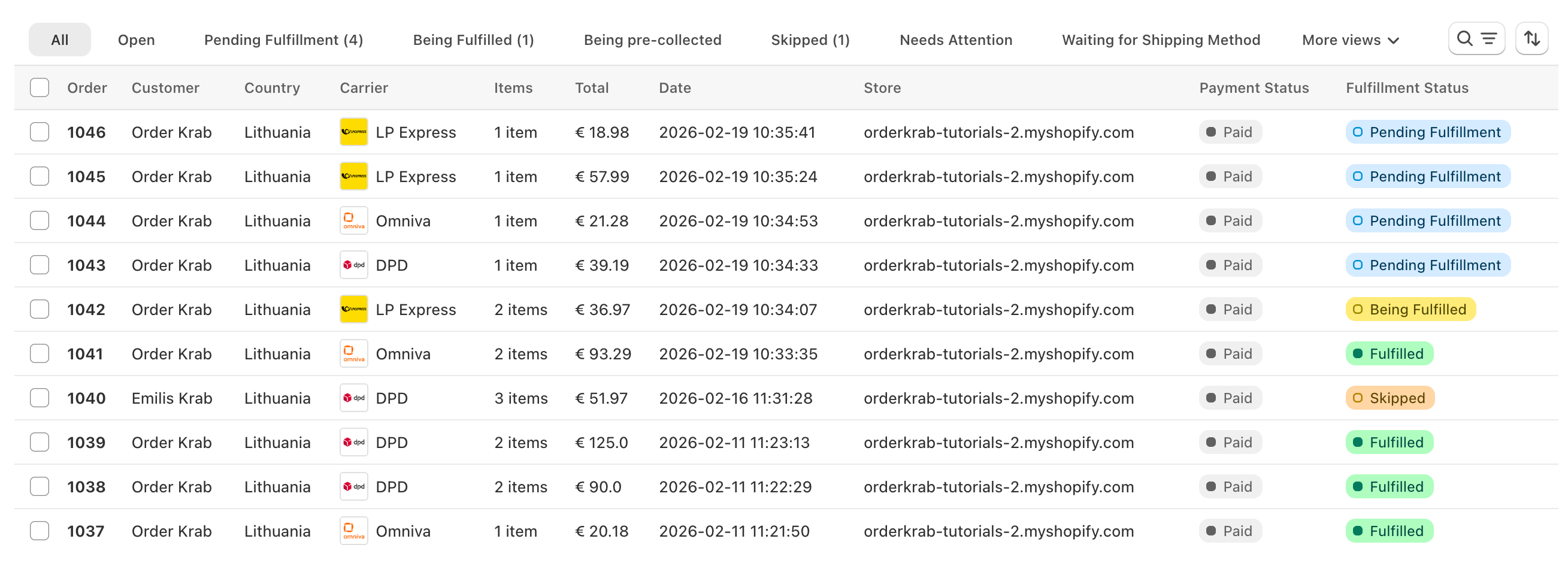
Cztery sposoby na etykietę
Niezależnie od tego, jak pracujesz, etykieta to jedno kliknięcie
Jedno zamówienie naraz
Otwórz oczekujące zamówienie, kliknij Initiate Shipment, a potem pobierz lub wydrukuj etykietę.
Dziesiątki naraz
Zaznacz zamówienia, zainicjuj przesyłki razem i pobierz wszystkie etykiety w jednym pliku PDF.
Automatycznie podczas pakowania
W Pick & Pack etykieta drukuje się sama w chwili zeskanowania ostatniego produktu. Plan Pro.
Bez zamówienia
Zwrot do dostawcy albo przesunięcie międzymagazynowe dostaje osobną etykietę dowolnego podłączonego przewoźnika.
Dodatkowe paczki i etykiety zwrotne tworzysz w tym samym oknie Shipments w zamówieniu, każdą z własnym numerem śledzenia.
Po przyjściu zamówienia
Zmień przesyłkę bez zaczynania od nowa
Zamień automat paczkowy, przełącz między kurierem a automatem albo przenieś zamówienie do innego przewoźnika. OrderKrab anuluje starą etykietę i tworzy nową.
- Edytuj adres, automat albo powód eksportu na stronie zamówienia
- Gdy nie uda się utworzyć etykiety, zamówienie dostaje status Wymaga uwagi z błędem przewoźnika
- Krab AI na planie Pro proponuje poprawiony adres lub automat do Twojej akceptacji
Omniva · Automat
Stara etykieta anulowana
DPD · Kurier
Nowa etykieta utworzona
Co obsługuje każdy przewoźnik
Uczciwie o tym, co gdzie działa
Każdy zintegrowany przewoźnik tworzy etykiety, numery śledzenia i etykiety zwrotne. Reszta zależy od przewoźnika, więc oto dokładna lista.
Automaty paczkowe w checkoucie
Za pobraniem (COD)
Ceny przewoźnika na żywo w checkoucie
Protokoły nadania
Dokumenty celne
- InPost przyjmuje pobranie na ścieżce ZipasGo.
- Zamawianie kuriera dla InPost jest dostępne na ścieżce Nova Post.
- DHL Express, FedEx i UPS tworzą fakturę celną z danych pozycji zamówienia, a DHL Express i FedEx pozwalają wybrać DAP lub DDP dla każdego kraju. Zipas Go, Lietuvos paštas i Omniva obsługują deklaracje celne.
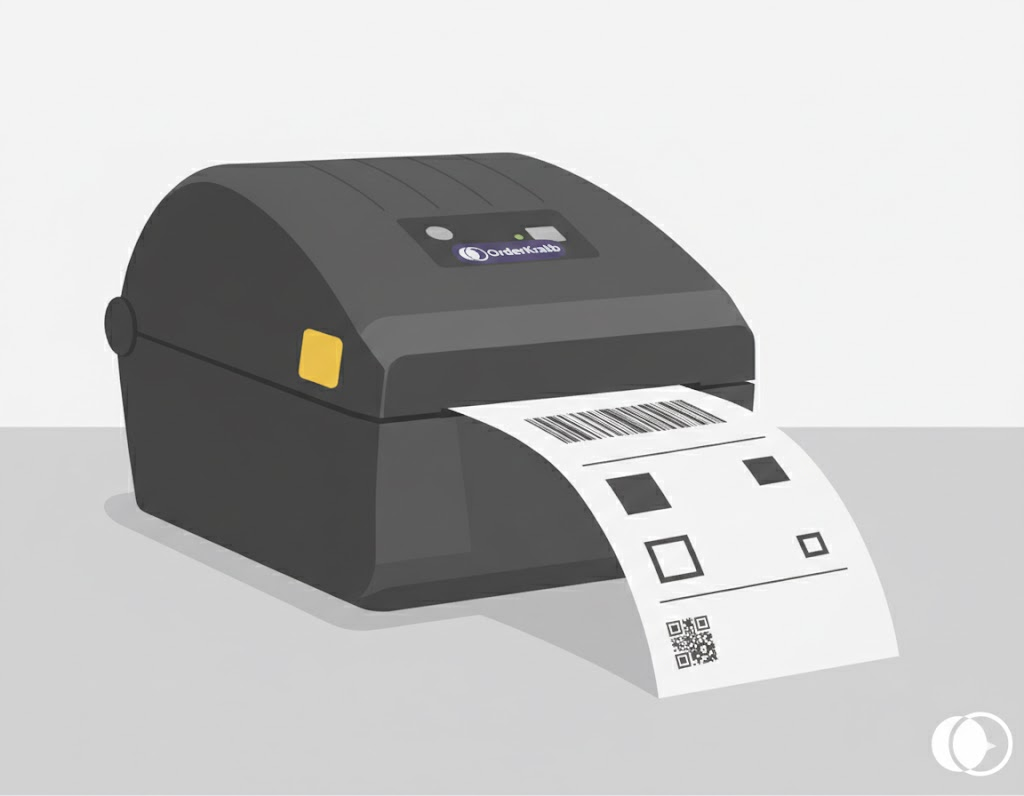
Drukowanie
Dowolna drukarka etykiet, bez walki ze sterownikami
PrintKrab to darmowa aplikacja na komputer, która łączy Twoją przeglądarkę z drukarką. Etykiety wychodzą jako ZPL na drukarce etykiet albo jako PDF na każdej innej.
- Automatyczny druk w Pick & Pack w chwili zeskanowania ostatniego produktu
- Drukuj notatkę klienta i SKU na etykiecie
- Na planie Labels pobierz PDF i wydrukuj go gdziekolwiek
- Przetestowane drukarki i skanery w cenach poniżej rynkowych na planie Pro
Cennik
Etykiety od 45 zł miesięcznie
Plan Labels kosztuje 0,44 zł za zamówienie przy pierwszych 500 zamówieniach w każdym miesiącu, z minimalną kwotą faktury 45 zł. Plan FREE obejmuje do 50 zamówień miesięcznie. Pro dodaje Pick & Pack, Krab AI i analitykę.